SketchUp Plugin Involute Gear


Plugin Introduction
This is a powerful SketchUp involute gear generation plugin that supports parametric modeling of various gear types. This derivative work is based on Mark Jason Grundman’s SPGears_mjg.rb (Version 1.01) with significant modifications and enhancements, providing full-series gear design capabilities from micro drives to extra-large equipment.
Note: This blog post was translated from Chinese to English using AI. Please excuse any non-standard terminology.
The plugin’s interface language and code comments are in Chinese. You can use AI to translate them into English.
Plugin Interface Showcase
Below are the actual operation results of the plugin:
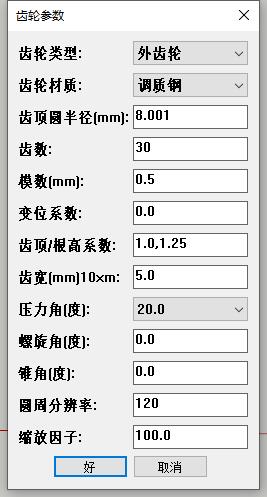
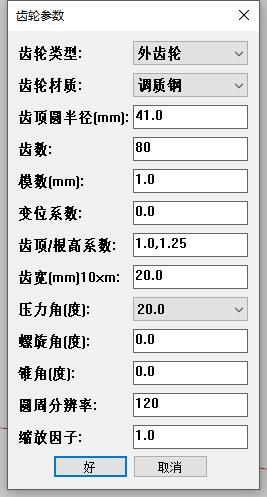
- Circle Resolution: Sets the number of segments on the gear’s circumference. When your gear is too small, SketchUp doesn’t support circles with too many segments, so this is forcibly set.
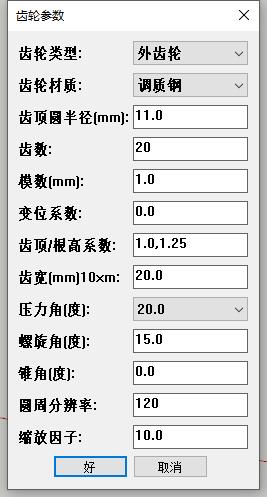
- Scale Factor: When the gear is too small, you can enlarge it using the scale factor to make it visible in SketchUp.
- Video Demonstration
Core Features
1. Diverse Gear Types
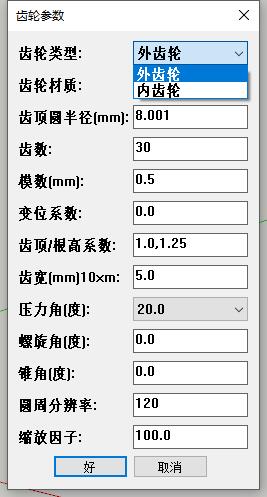
- External Gear: Standard involute cylindrical gear
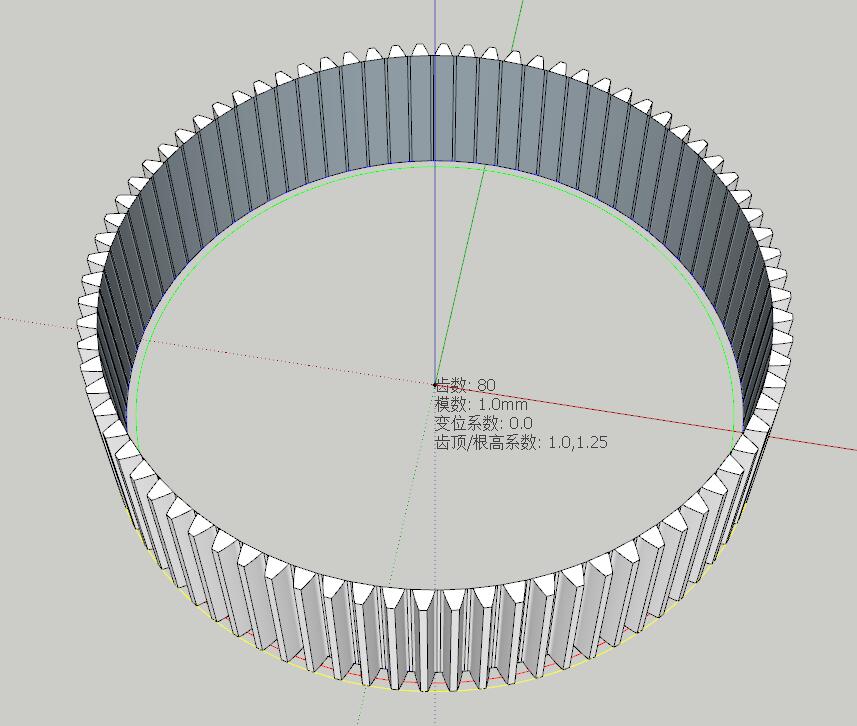
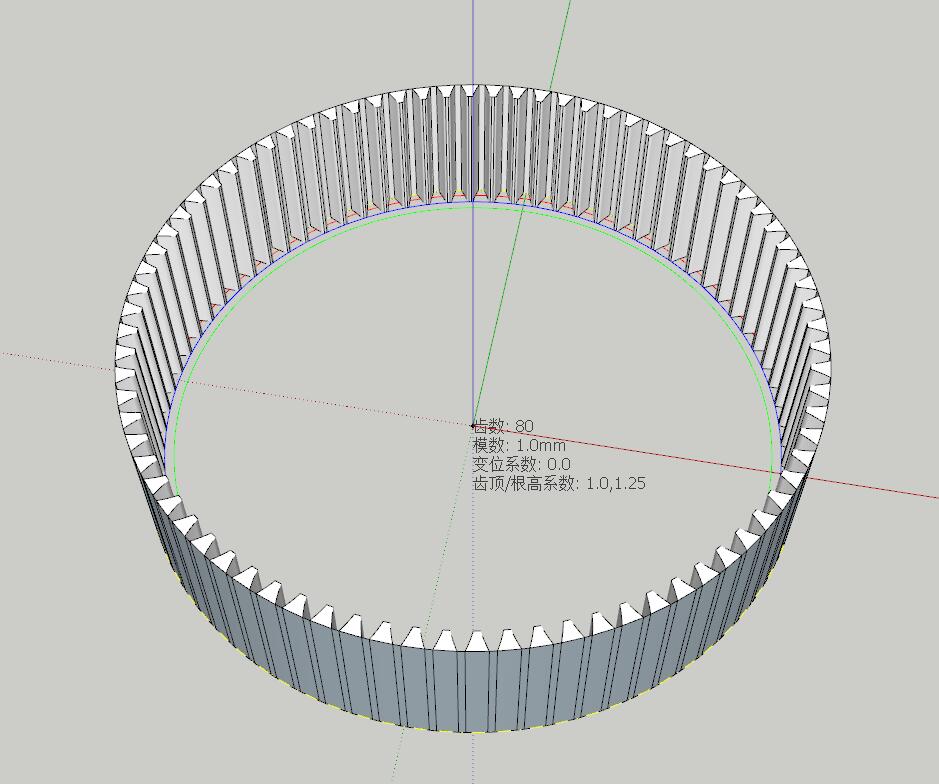
- Internal Gear: Internal ring gear design (recommended teeth ≥ 30)
- Bevel Gear: Achieved through bevel angle parameter
- Helical Gear: Achieved through helix angle parameter
2. Intelligent Parameter Validation System
The plugin has a built-in multi-layer parameter validation mechanism:
Layer 1: Automatic Application Type Recognition
Automatically determines the gear’s application type based on the input addendum circle radius:
- Micro Drive (<10mm): Micro robots, precision instruments
- Precision Instruments (10-50mm): Clocks, instruments, meters
- Small Machinery (50-150mm): Small motors, home appliances
- General Machinery (150-350mm): Machine tools, automotive transmissions
- Heavy Machinery (350-1500mm): Construction equipment, mining machinery
- Large Equipment (1500-5000mm): Wind power generation, marine propulsion
- Extra-Large Equipment (>5000mm): Large mining machinery
Layer 2: Parameter Range Validation
Each application type has recommended parameter ranges:
- Tooth Count Range: From 6 teeth (micro) to 300 teeth (extra-large)
- Module Range: Standard series from 0.1mm to 100mm
- Profile Shift Coefficient Range: Reasonable range recommended based on application type
- Addendum/Dedendum Coefficient: Recommended combinations for different applications
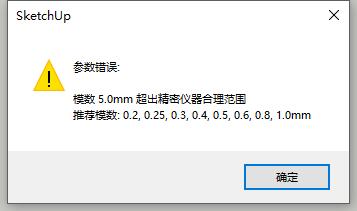
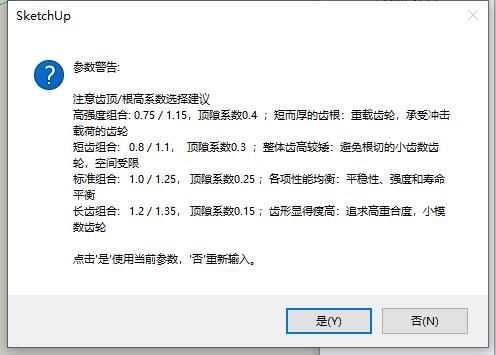
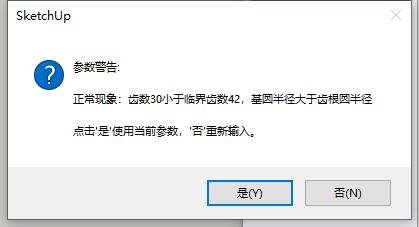
Layer 3: Geometric Rationality Validation
- Dedendum circle radius > 0
- Addendum circle radius > Base circle radius
- Tip thickness meets minimum material requirements
- Undercut risk assessment
Layer 4: Intelligent Correction Suggestions
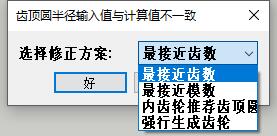
When parameters don’t match, automatically provides multiple correction options:
- Adjust tooth count to match addendum circle radius
- Adjust module to match addendum circle radius
- Accept calculated value as recommended addendum circle radius
- If parameters don’t match and you choose forced generation, it will still generate a gear matching the addendum circle radius
3. Material Database
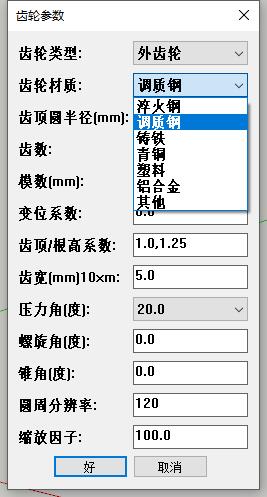
Supports multiple gear materials with their minimum tip thickness requirements:
- Hardened Steel (0.25): Heavy-duty, high-speed transmission
- Tempered Steel (0.30): General machinery
- Cast Iron (0.40): Low-cost, low-speed transmission
- Bronze (0.35): Wear-resistant, suitable for worm gear drives
- Plastic (0.50): Light-load, quiet operation, corrosion-resistant
- Aluminum Alloy (0.45): Lightweight design
4. Advanced Geometric Features
Addendum/Dedendum Coefficient Combinations
Multiple standard combinations available (user input required):
- Standard Combination (1.0/1.25): Balanced performance, general purpose
- Short Tooth Combination (0.8/1.1): Increased strength, undercut prevention
- Long Tooth Combination (1.2/1.35): Increased contact ratio, noise reduction
- High-Strength Combination (0.75/1.15): Heavy-load applications
Intelligent Profile Shift Coefficient Handling
- Automatically calculates minimum tooth count without undercut
- Automatically adjusts reasonable profile shift coefficient range based on tooth count
- Special restrictions for internal gear profile shift coefficient (≤0.5)
- Automatic tip thickness calculation and validation
5. Additional Features
- History recording support
- Input parameter annotations
- Source code includes comments and knowledge points for easy learning and modification
Included Files and Installation Methods
1. Plugin Source Code
- Main Program:
MySPGear.rb - Utility Tools:
ToolModule.rb(required by the main program)
2. Installation Methods
Method 1: Using My “Plugin Tray”
Place the “main program” anywhere within the plugins folder, and place the “utility tools” in the plugins root directory. See my previous blog post for the “Plugin Tray” source code.
Method 2: Direct Installation (Without Plugin Tray)
If you don’t want to use my “Plugin Tray”, you need to place both the main program and utility tools in SketchUp’s plugins root directory, and modify the code as follows. It will then appear in your “Extensions” menu:
(1) Comment out all hot-reload related code:
  #require 'D:/MySketchUpPlugin/src/hot_reload.rb'
  #HotReload.enable(__FILE__) if defined?(HotReload)

(2) Add at the beginning of the main program:
  require 'ToolModule.rb'

(3) Add at the end of the main program:
  #=============================================================================
  # Menu Registration
  #=============================================================================
  unless file_loaded?(__FILE__)
    # Get the Plugins menu (works correctly in both English and Chinese SketchUp)
    plugins_menu = UI.menu("Plugins")

    # Add separator (optional, for better menu appearance)
    plugins_menu.add_separator

    # Add menu item
    # When clicked, creates a MySPGear instance and calls the run method
    plugins_menu.add_item("My Involute Gear") {
      MySPGear.new.run
    }

    # Mark file as loaded to prevent duplicate menu entries
    file_loaded(__FILE__)
  end
Application Examples
Spur Gear
Helical Gear
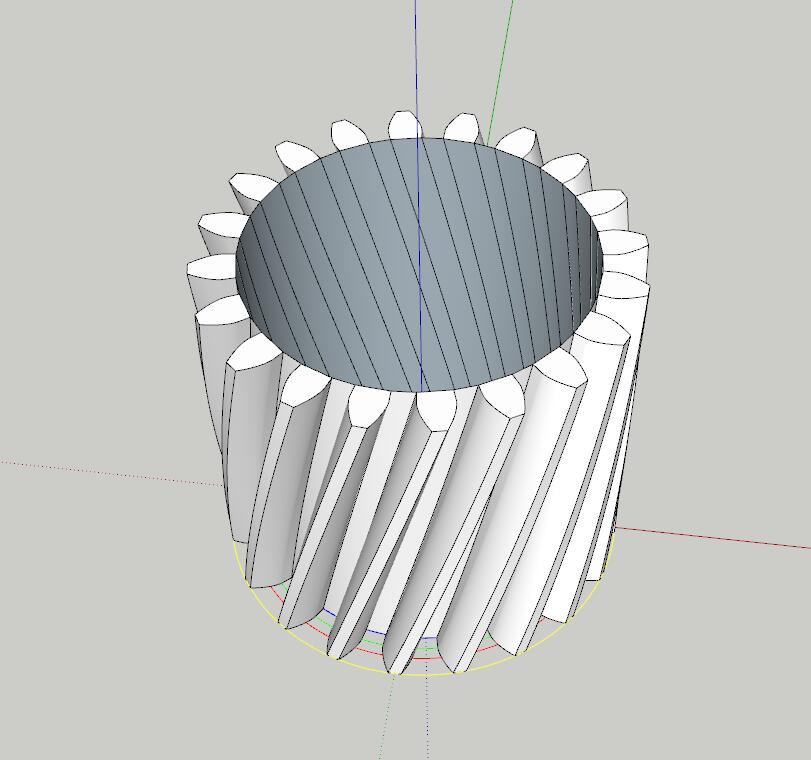
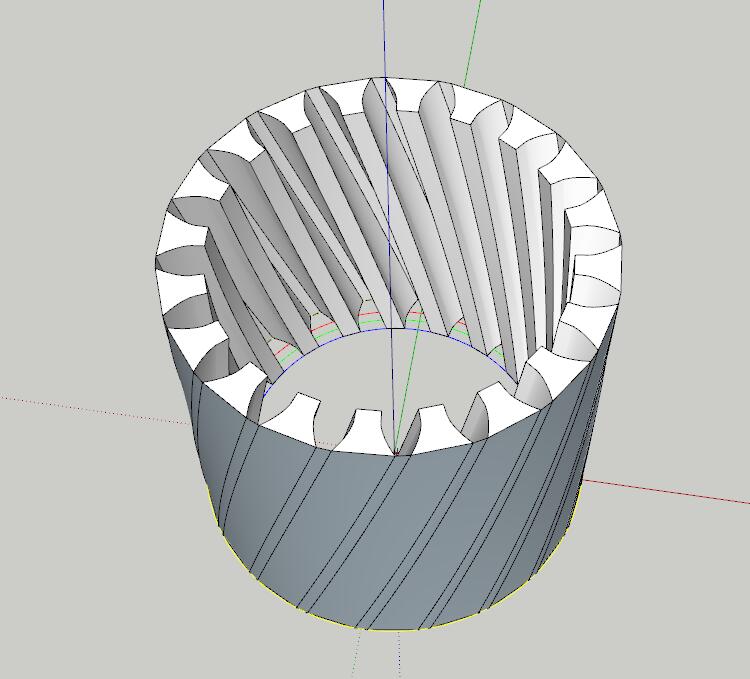
Bevel Gear
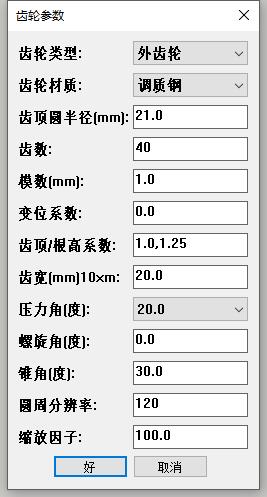
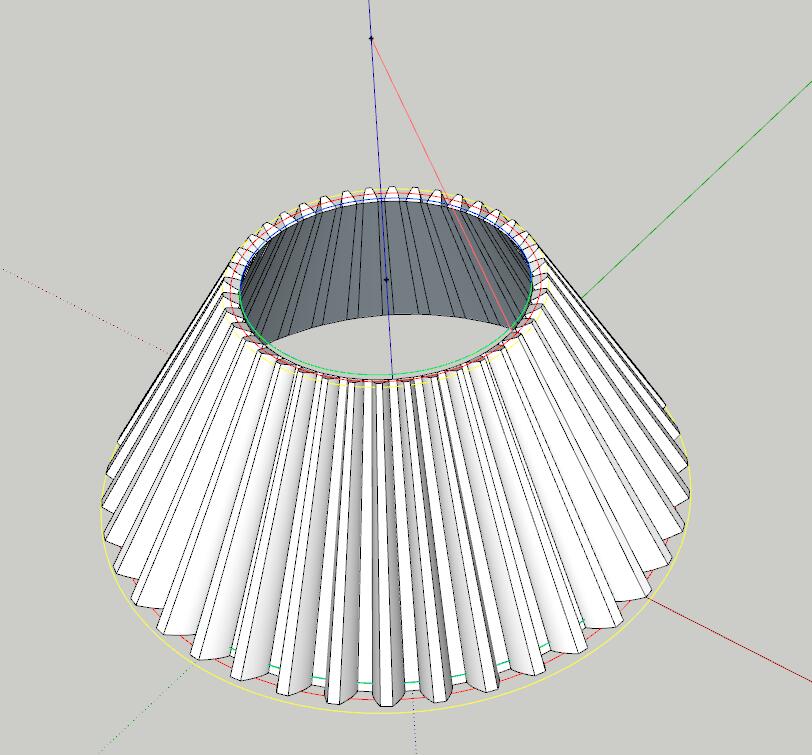
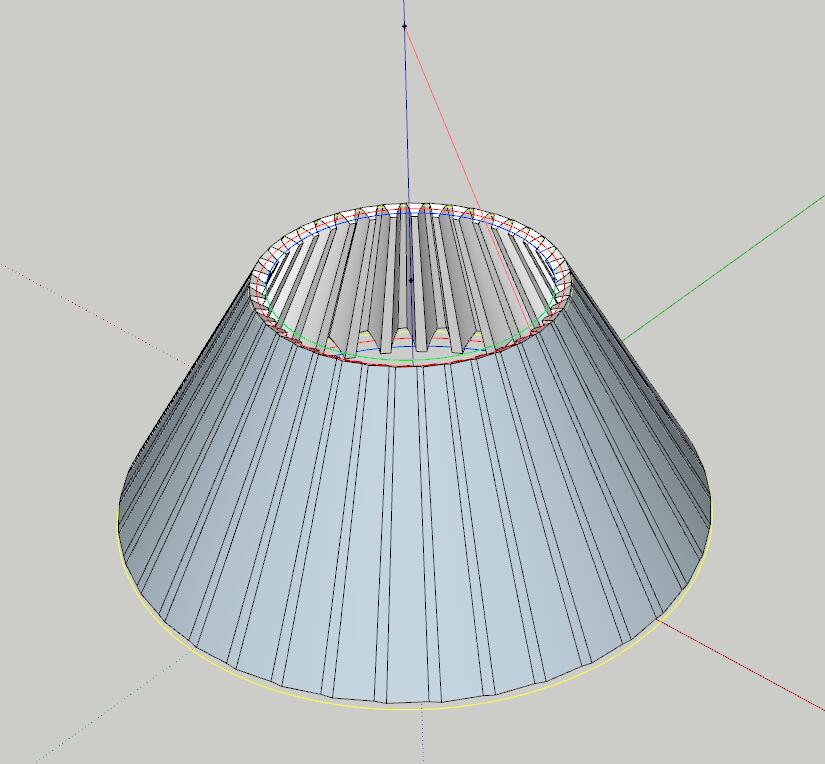
Note: If nothing happens after selecting the generation position, try increasing the scale factor.
Download